ON SERIES
ON Guestbook
Every photo becomes a page of your event.
A participatory photo guestbook that turns photos and short messages submitted by QR into a magazine-like flow on a large screen. We tailor the display and participation flow to your event, with every submission reviewed in the CMS before it appears.
ON Guestbook lets the audience fill the event with their own moments. Instead of signing a paper guestbook, they leave a photo and a short message. Each contribution joins the others on a large screen as a shared photo magazine.
The few seconds spent waiting for a photo—and the moment it appears at full size—draw people together and encourage more participation. After the event, the collected photos can live on as an archive or a poster.
CUSTOM
A guestbook shaped around your brand and event
ON Guestbook is built around your event. We design the screen and participation flow to fit your brand, space and program.
- A dedicated display with your logo, brand colors and typography
- Event-specific titles, instructions and participation prompts
- Layouts matched to the ratio and resolution of LED walls and portrait signage
- Participation fields for names, organizations and messages alongside photos
- Adjustable flow speed and presentation of new photos
CMS
Review every photo and message before it goes live
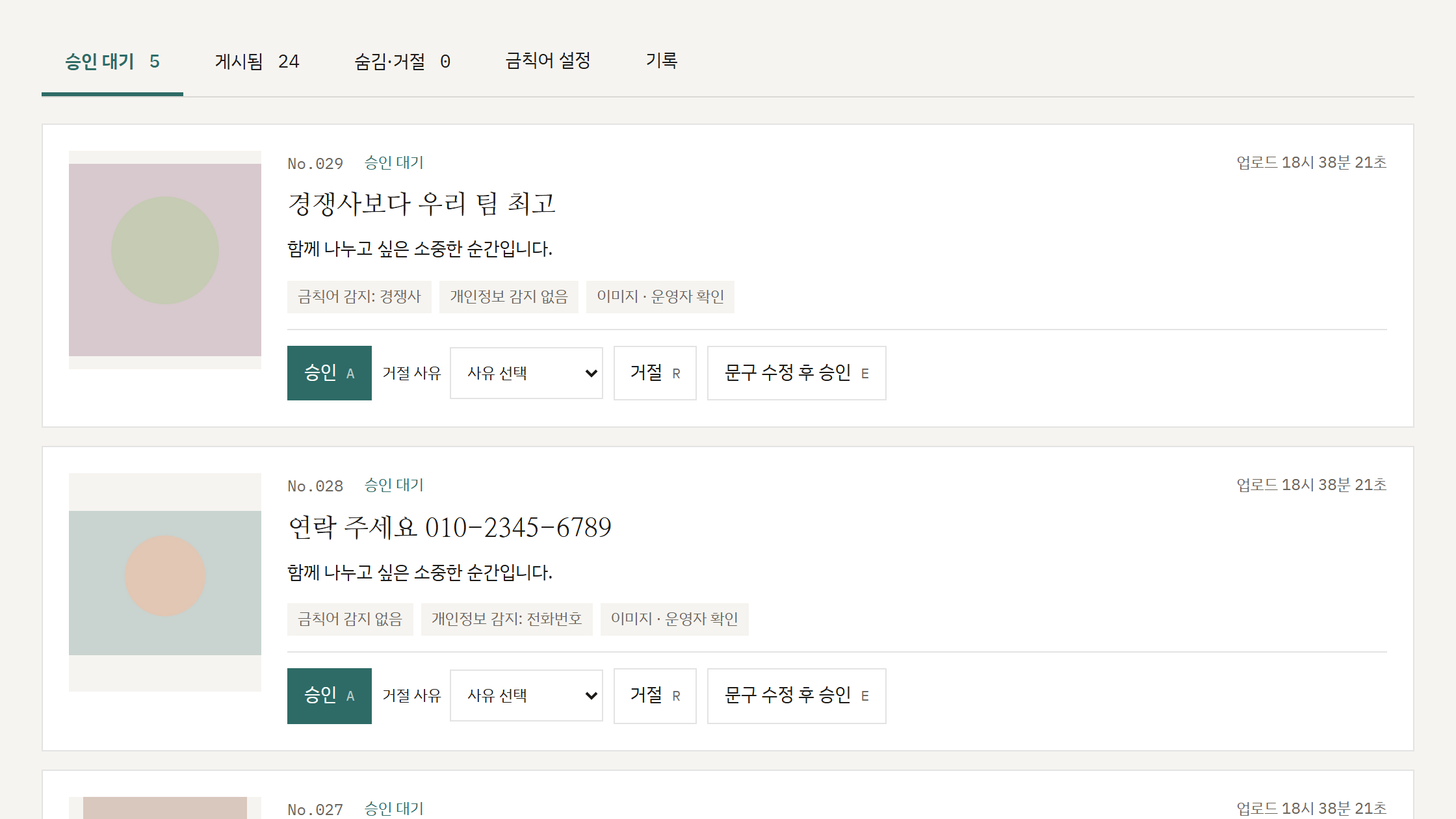
Operators use the CMS to review submitted images and text, then choose what appears on screen. A practical safeguard for corporate events.
- Pre-moderation mode that shows only approved photos
- Instantly hide photos that are already on screen
- Automatically hold submissions containing disguised blocked words, phone numbers or email addresses
- View participation activity and the display queue during the event
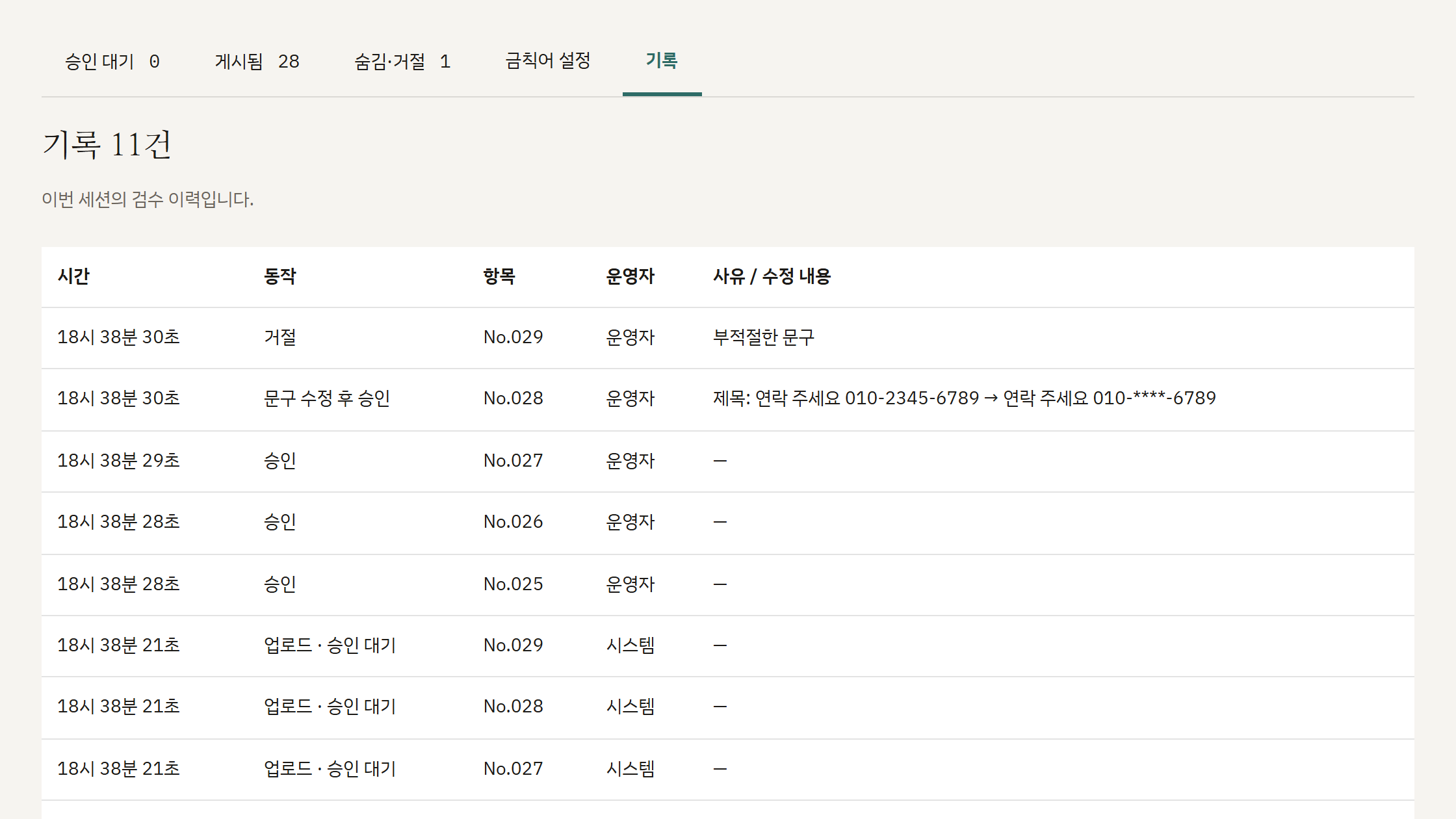
- Approval, rejection and hide logs included in the post-event report
HOW IT WORKS
01
Join by QR
Upload a photo, title and short message from a mobile browser. No app installation required.
02
Appear on screen
New photos appear first at a larger size with a NEW label. During busy periods, submissions queue in order and participants see updates such as “3 ahead of you · on screen soon” on their phones.
03
A flowing photo magazine
Photos move slowly from right to left in a magazine grid. The layout changes on each cycle to keep the display varied.
USE CASES
Corporate events and conferences
Photos and short messages capture the atmosphere as the event unfolds.
Weddings
Guests’ photos and congratulations fill the screen throughout the celebration.
Brand pop-ups
A growing collection of visitor photos becomes an attraction in its own right.
Festivals and exhibitions
Audience contributions build a shared record of the event.
FEATURES
Brand panel
Your logo, event name, date, venue, participant count and QR code stay visible beside a landscape display or below a portrait display.
Fits your display
Layouts adapt to the ratio and resolution of LED walls, large TVs, projectors and portrait signage.
Privacy
Participants consent before uploading. Photos are deleted within the agreed period after the event.
OPTIONS
- An event archive webpage: a magazine issue collecting participant photos
- High-resolution images for poster printing
- A time-lapse video of the full event
SETUP
- One PC connected to the display and an internet connection are required on site.
- Participants join through their mobile browser without an app.
- We test the setup with you in advance for your event scale and display configuration.