ON SERIES
ON Pick
Your photo becomes today’s collectible card.
An interactive experience where visitors scan a QR code, answer a survey and upload a photo, then reveal a card featuring their own photo on their phone. The card appears on the large screen the moment it opens, with prizes attached to different tiers. We tailor the screens and prizes to your brand, and you manage odds and stock in the CMS.
ON Pick turns a visitor’s photo into a collectible card with its own tier for the day. With no app to install, visitors scan a QR code, answer a short survey and upload their photo.
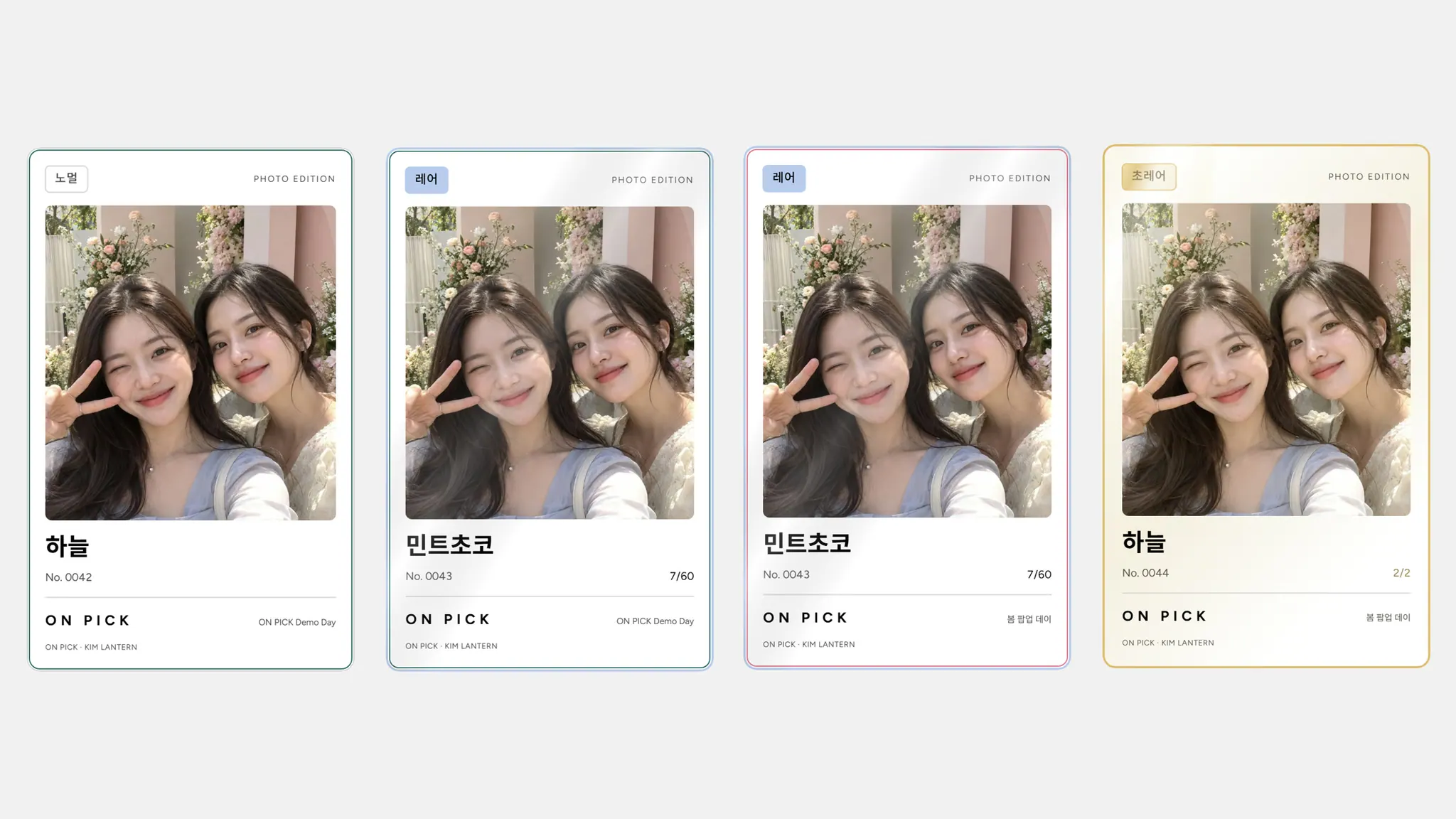
Opening the card and revealing it on the large screen happen in the same moment. When an Ultra Rare appears, the whole venue shares the reveal. Visitors leave with a card to keep, and brands with survey responses and participation data.
CARD REVEALS
Scratch, tear or turn to open your card
Choose one of three reveal styles to suit your event. Visitors open the card by hand rather than seeing the result straight away, turning the reveal of a single card into a moment for everyone to watch.
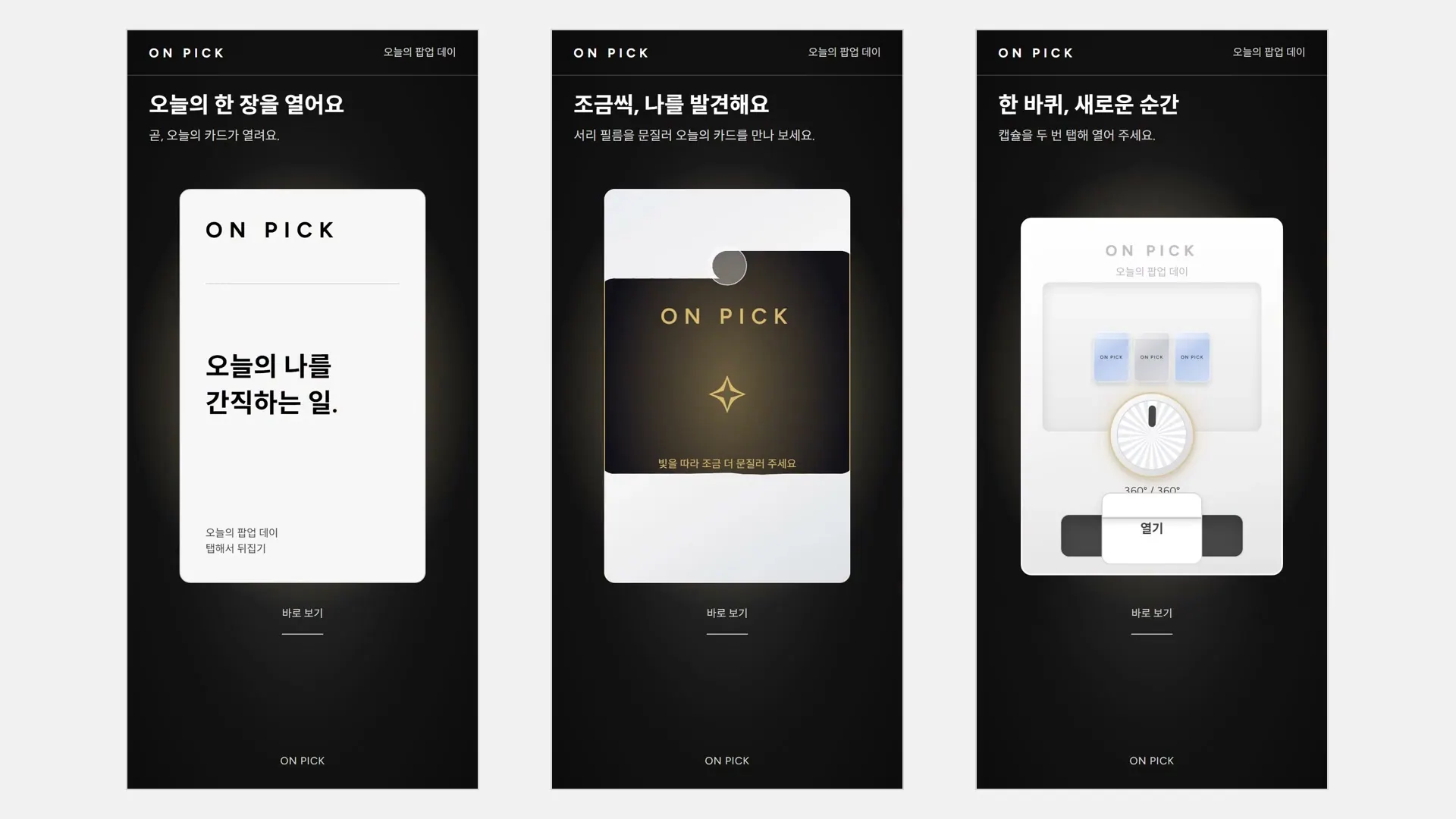
- Card pack — tear along the dotted line, then tap to flip
- Scratch — rub away the frosted film to reveal the card little by little
- Capsule — turn the knob on a small display case once, then tap the box that drops out twice to open it
- While opening, the screen dims and a spotlight falls on the card, with changing light colors building anticipation right up to the reveal
- Save the finished card to your phone and share it
LED STAGE
Open it on your phone, reveal it on the big screen
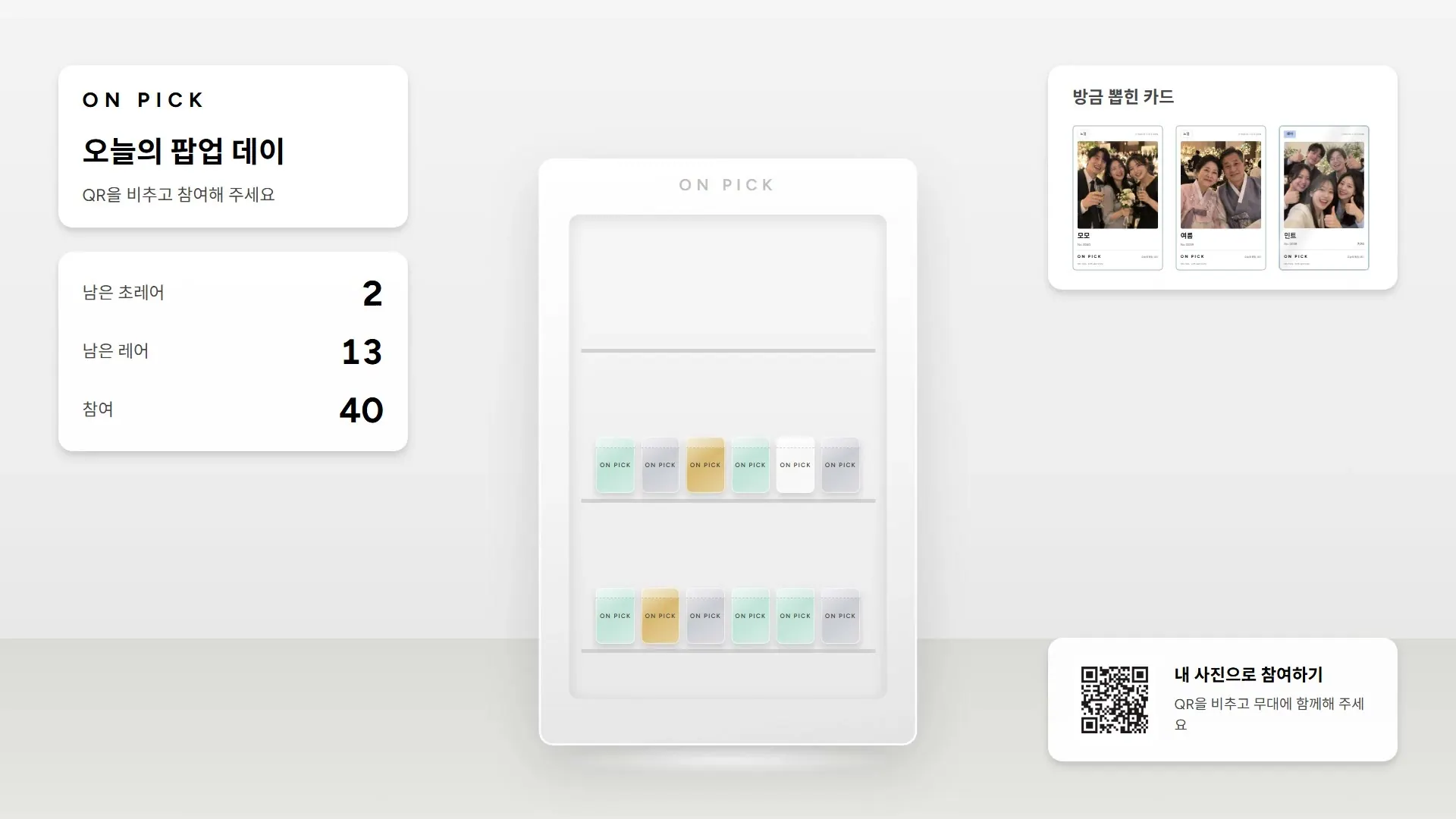
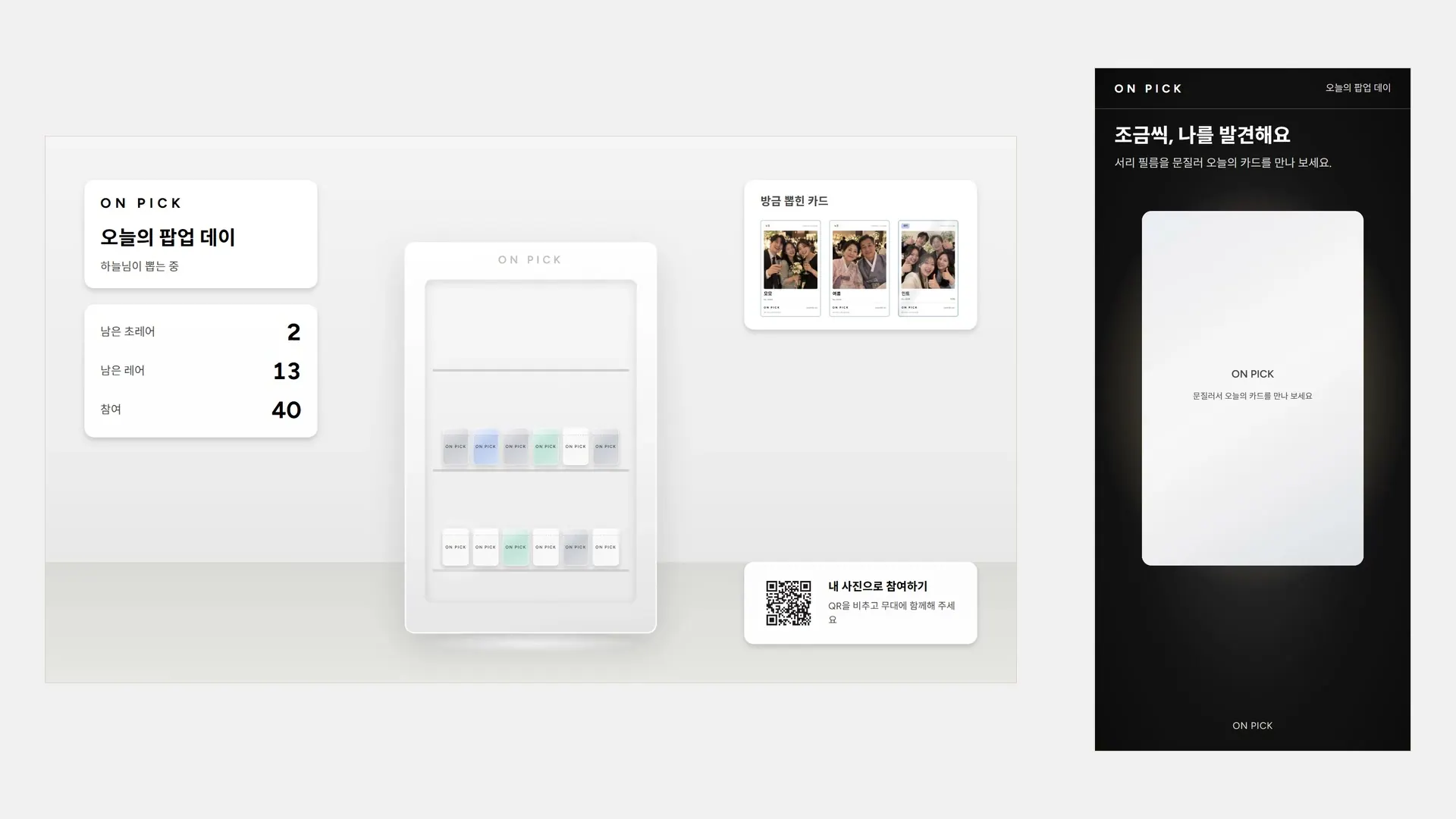
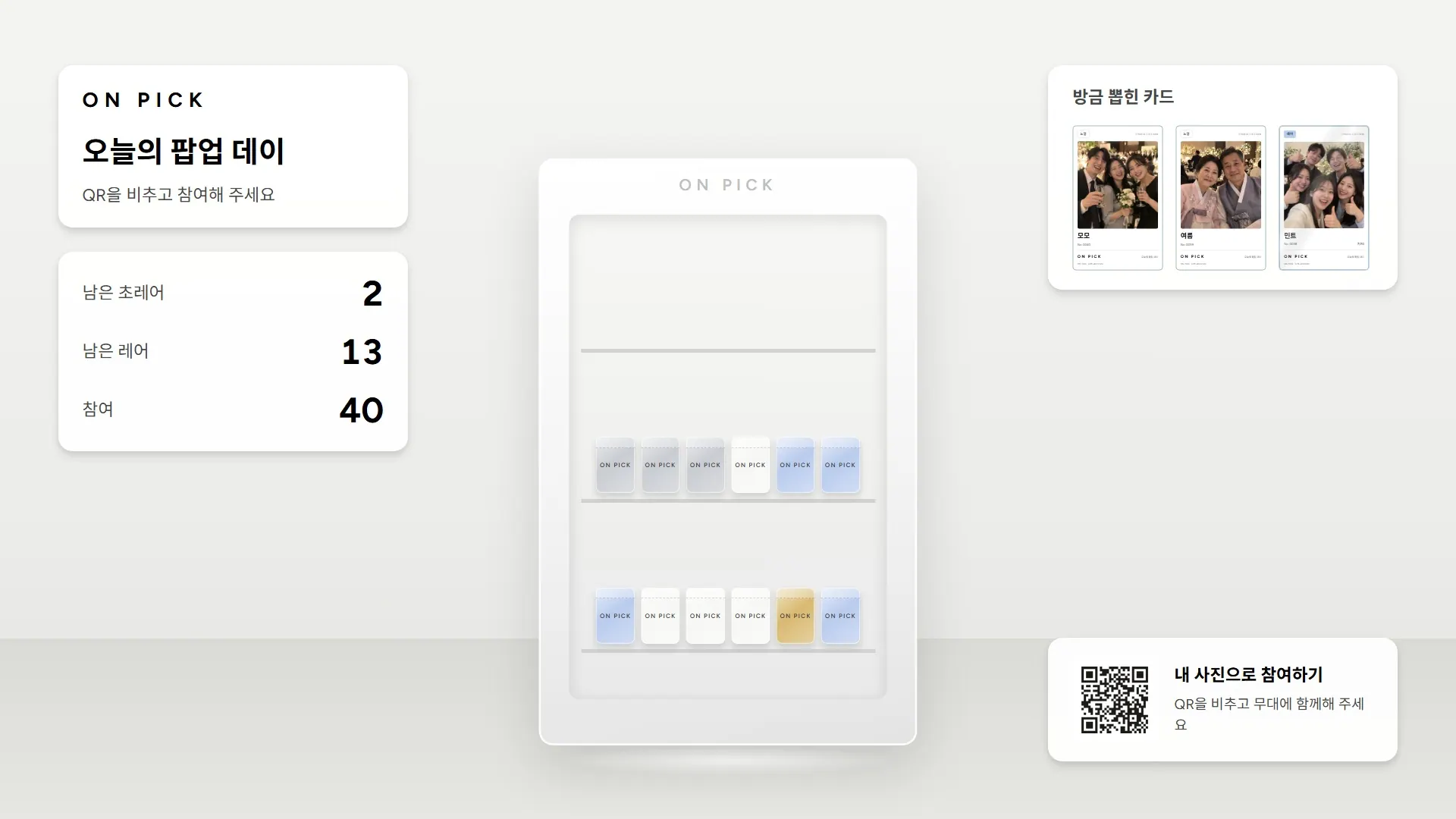
A display case filled with card packs sits at the center of the large screen. When a visitor starts, only their nickname appears there. The same card is revealed there the moment they open it on their phone. Higher tiers stay on stage longer.
- A simultaneous reveal that keeps the result hidden until opening, with an automatic reveal after 30 seconds if left unopened
- A pack rises from the display case and opens, with Rare cards revealed for 5 seconds and Ultra Rare cards for 10
- Show participation counts and the Rare and Ultra Rare cards remaining, with packs in the case thinning out as stock runs down
- Revealed cards gather under “Just drawn” on the right of the screen
- Redemption codes and prize names stay off the large screen
OPERATION
On visitors’ phones, or on booth tablets
From the survey and photo to the card reveal, everything runs in the browser with no app to install. Choose an entry method to suit the flow of your venue.
- Fixed QR — anyone can scan the code on screen and join straight away
- One-time QR — visitors join with a code shown by a promoter for each turn
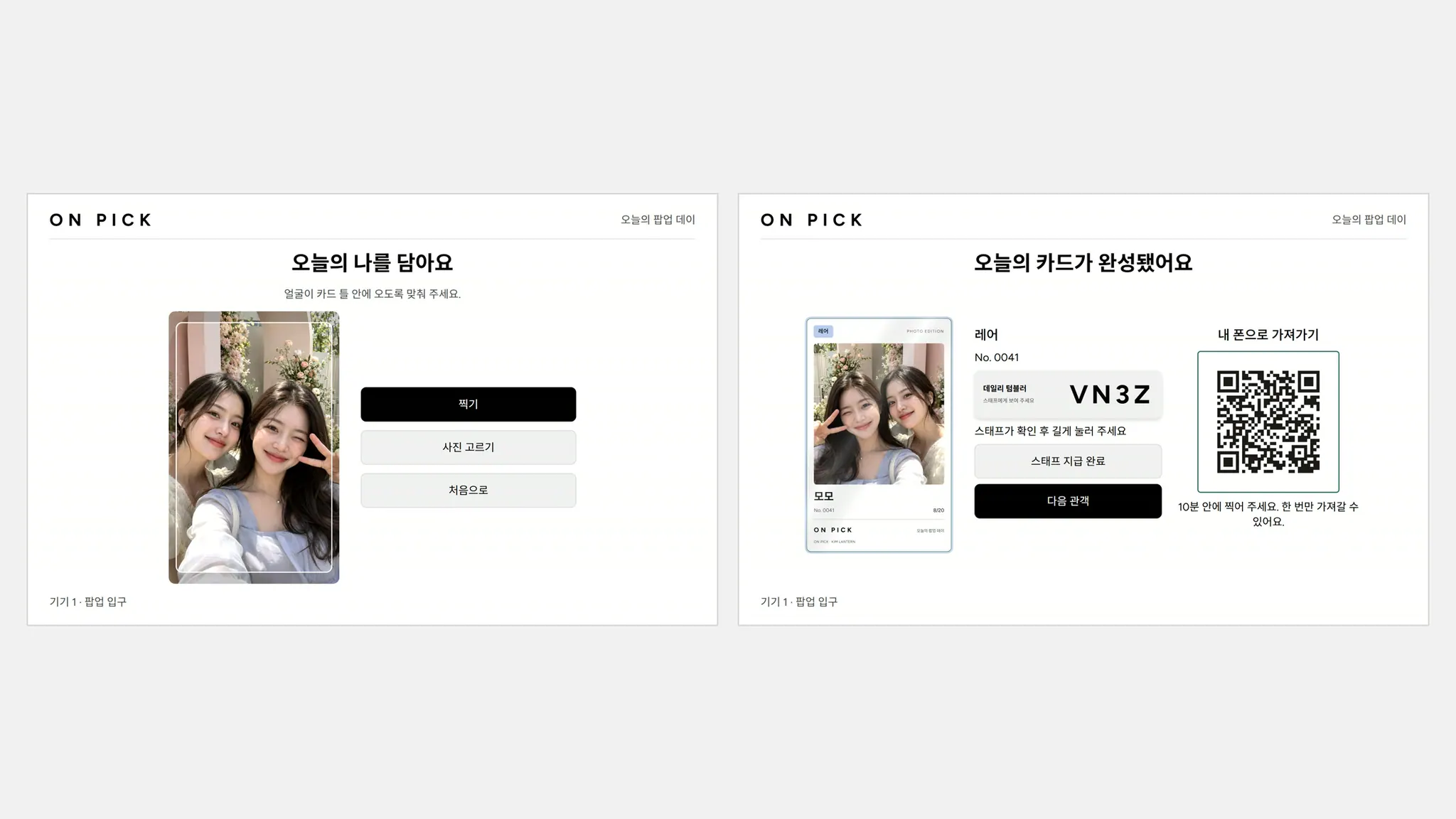
- Booth tablets — take a photo and reveal a card on up to four tablets, then scan a QR code to take it onto your phone
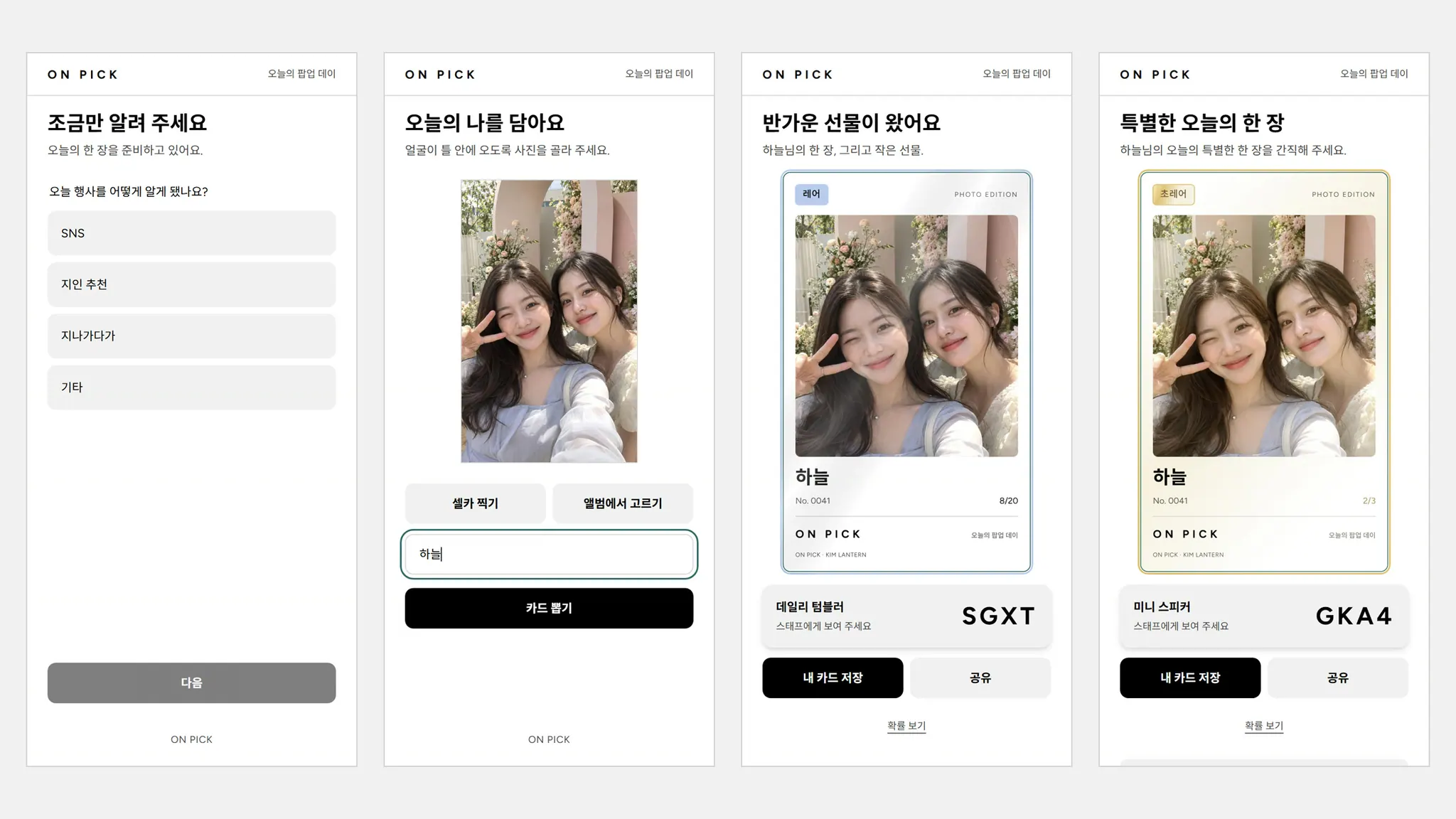
- Build a survey of one to three questions your brand wants to ask
- Use a selfie or a photo from your library
PRIZES · CMS
Prizes on site, managed from the CMS
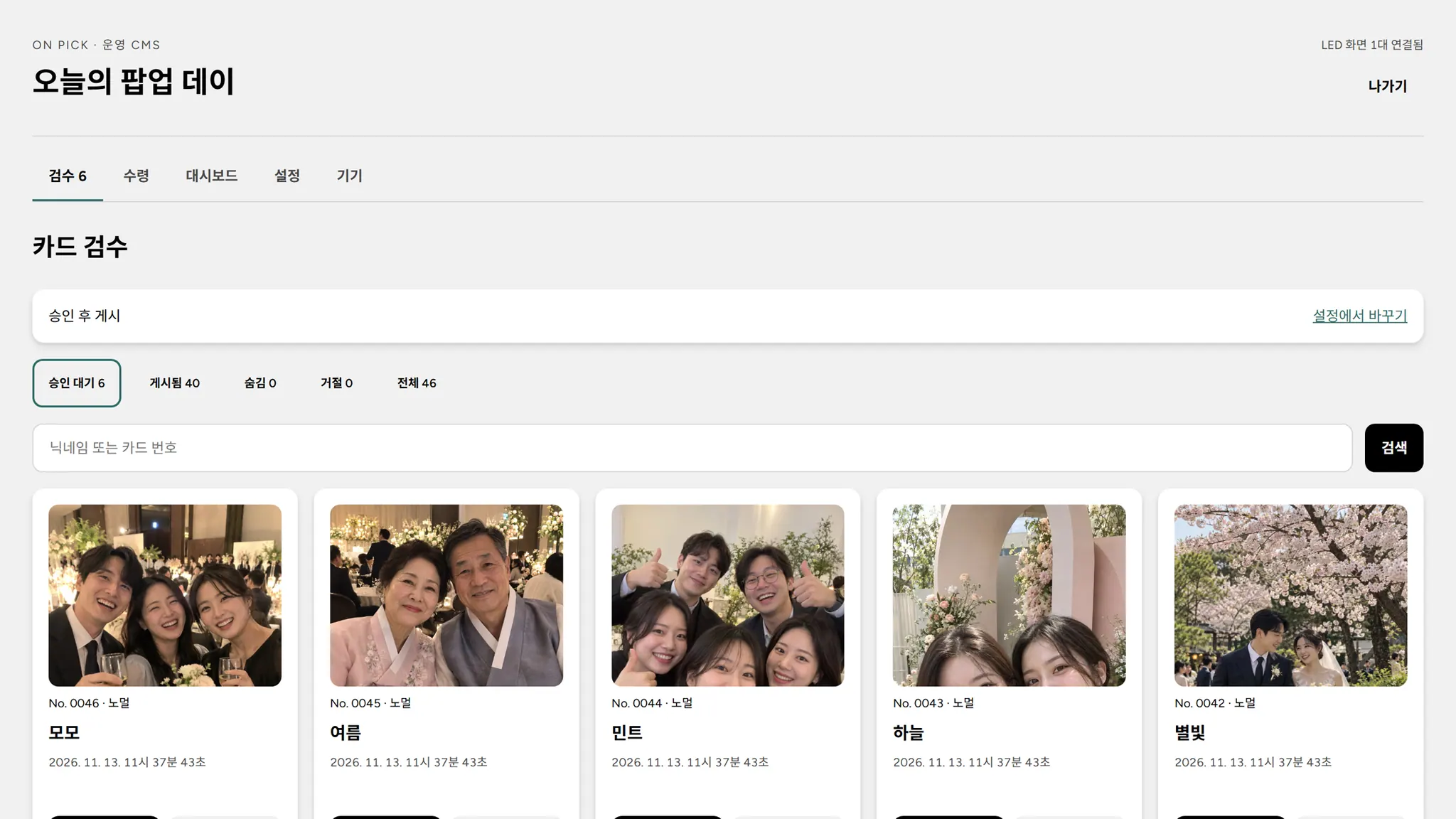
Cards with prizes show a four-character code. Staff check the code and hand over the prize, while operators manage odds, stock, photo review and participation data in the CMS.
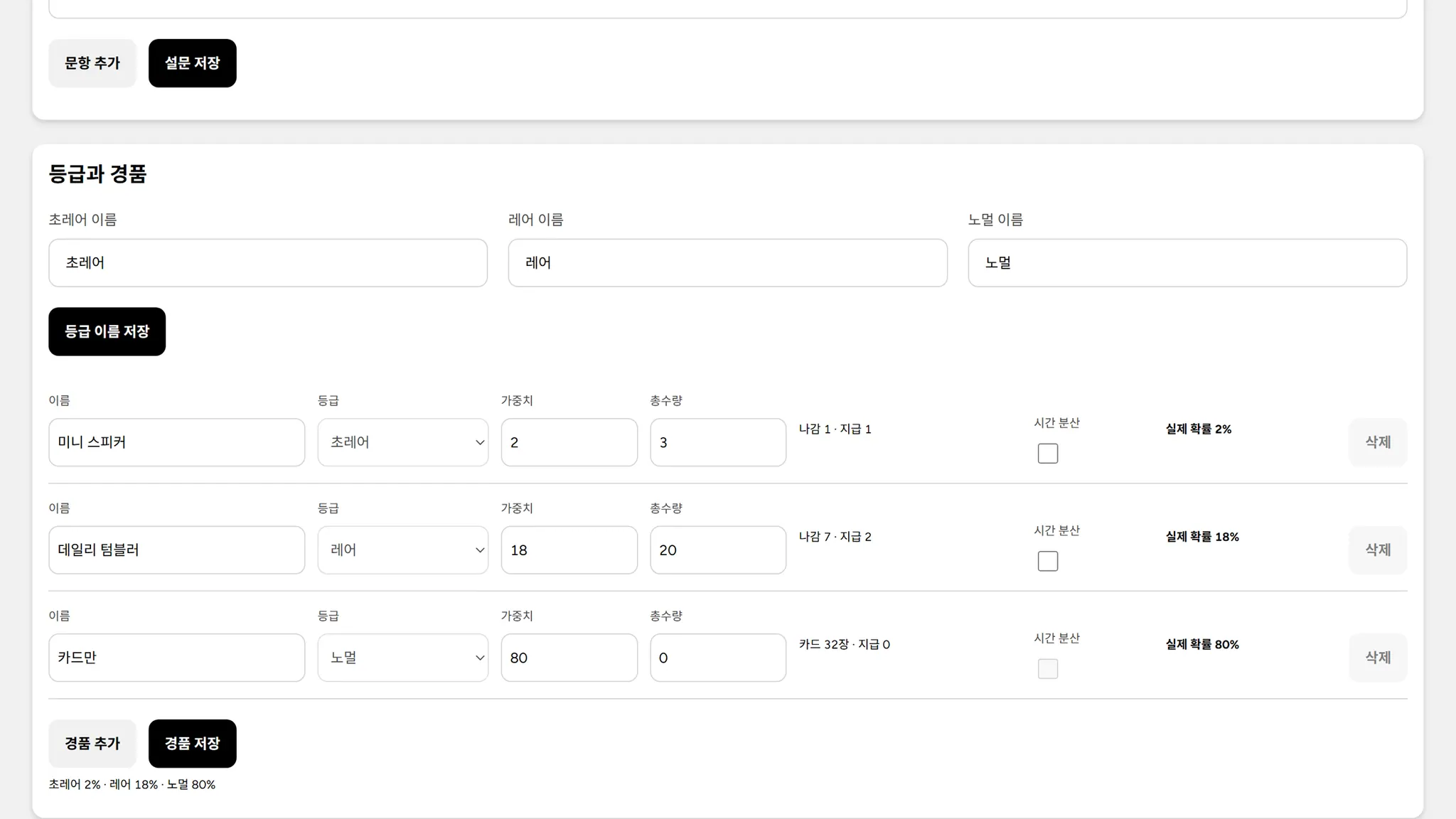
- Set a weight and quantity for each prize to calculate the actual odds immediately; visitors can check them on the odds screen too
- Once stock runs out, cards are automatically issued without prizes
- Choose review mode to show only approved photos, or publish immediately; hiding a published photo removes it from the screen at once
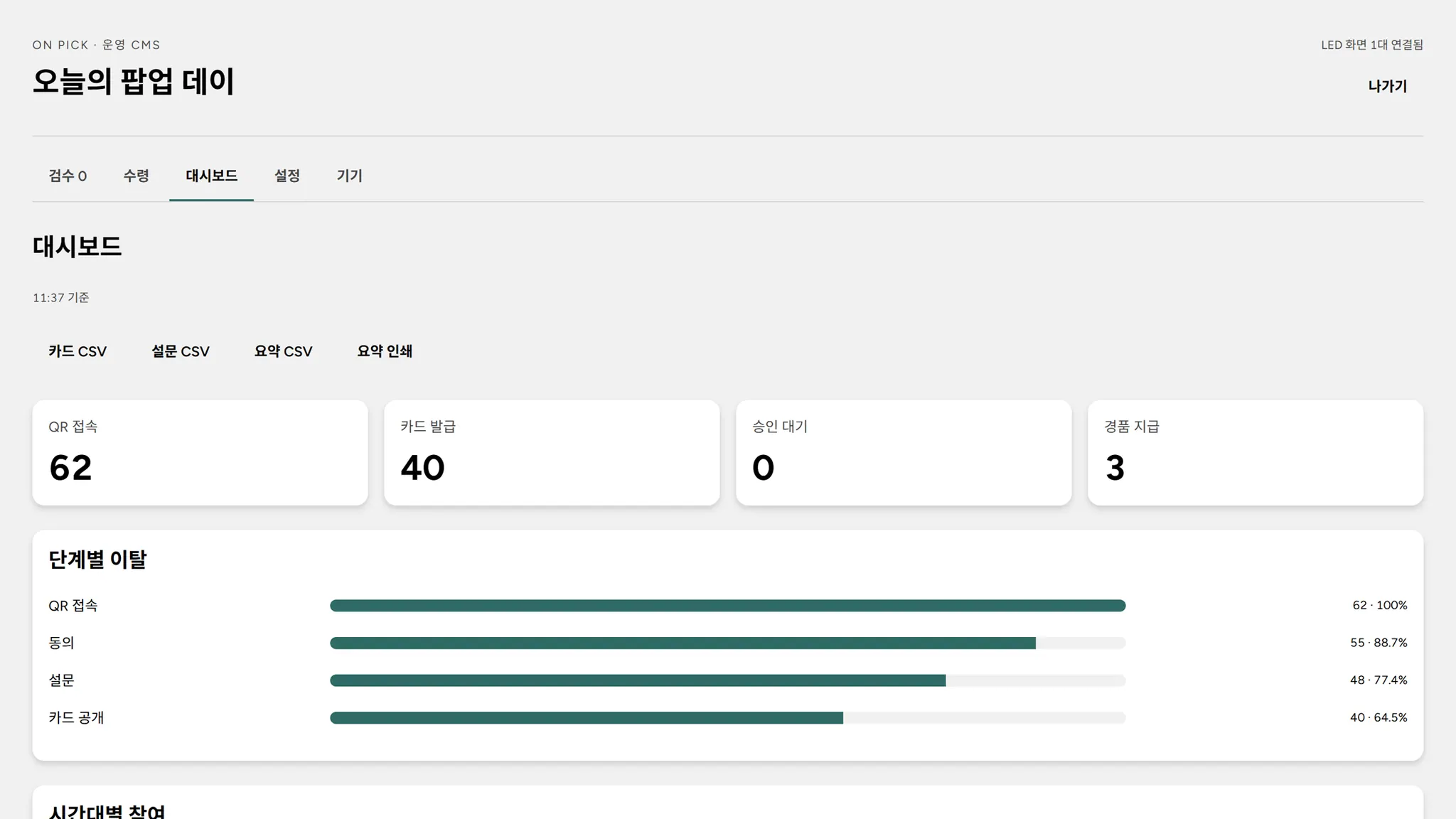
- See participation, drop-off by step, survey totals, and cards issued and prizes redeemed by tier on the dashboard, with downloadable records
- Option to limit participation to once per person
HOW IT WORKS
01
Join by QR
Scan a QR code, give consent and complete a short survey. Visitors can also start directly on booth tablets.
02
Reveal a card with your photo
Take a selfie or choose a photo from your library, pick a nickname, then open your card with a reveal such as scratching or tearing a card pack.
03
On stage, with a prize
The card appears on the large screen the moment it opens. Save it to your phone, and if it comes with a prize, show your code to collect it.
USE CASES
Brand pop-ups
Visitors’ photos become branded cards to keep as a memento, while a survey captures their responses.
Exhibition booths
Card tiers revealed on the large screen stop passing visitors in front of your booth.
Corporate events
Photos of staff and attendees become cards on stage, bringing the room together.
Festivals
A card to keep and a prize collected on site become souvenirs of the festival.
FEATURES
Server-side selection
Tiers and prizes are both decided on the server for fair results, and visitors see the same card when they reconnect.
Brand skins
Brand partnerships come in three tiers: Signature changes the logo and accent color, Monotone paints the display case and card packs in your brand color, and Premium adds case materials, miniatures and custom tier names.
Photo retention
Set a retention period for each event, then have the operator delete photos and cards when that period ends.
Proven stability
In a 30-minute continuous test simulating 30 phones, 1,591 cards were issued without errors and every card appeared on the large screen.
OPTIONS
- Photo card files for on-site printing (58×90mm)
- Card designs exclusive to your brand
- A post-event report on participation, survey responses and prizes handed over
- A dedicated screen layout for your LED wall resolution
SETUP
- One internet-connected laptop to run the server and a PC connected to the large screen are required on site.
- Visitors connect over their phone’s mobile data, so there is no need to provide venue Wi-Fi.
- For the booth tablet setup, prepare up to four tablets.
- Designed for events with free participation. We agree on prizes, odds and consent wording with you before the event and test on site.